
The 3 Body Language Mistakes That Kill Your Interview Before You Speak
In the modern hiring landscape, the venue of the high-stakes interview has permanently shifted. The vast majority of first-round screenings, technical rounds, and final leadership reviews now happen through a glass screen on Zoom, Microsoft Teams, or Google Meet. Because of this digital barrier, many candidates assume that traditional physical cues no longer matter. They […]
Because of this digital barrier, many candidates assume that traditional physical cues no longer matter. They believe that as long as their technical responses are accurate and their portfolio is solid, their physical presentation is secondary.
This assumption is a critical error.
Human communication is inherently multi-layered. Long before a hiring manager processes the analytical accuracy of your system-design architecture, their brain forms an split-second evaluation based on your visual presence. Studies in behavioral psychology reveal that over 50% of an interviewer’s initial impression is shaped purely by non-verbal communication cues within the first four minutes of a interaction.
In a virtual environment, your body language is magnified, not minimized. Because the recruiter is staring directly at a tightly cropped box containing your head and shoulders, tiny behavioral ticks that would pass unnoticed in a large conference room suddenly become glaring indicators of low career confidence or hidden workplace anxiety.
If you are an analytical professional trying to navigate a competitive market, you must ensure your visual delivery matches your technical depth. Here are the 3 major virtual body language interview mistakes that quietly alienate recruiters, and the precise adjustments needed to correct them.
1. The Virtual Horizon Drift (Improper Camera Framing)
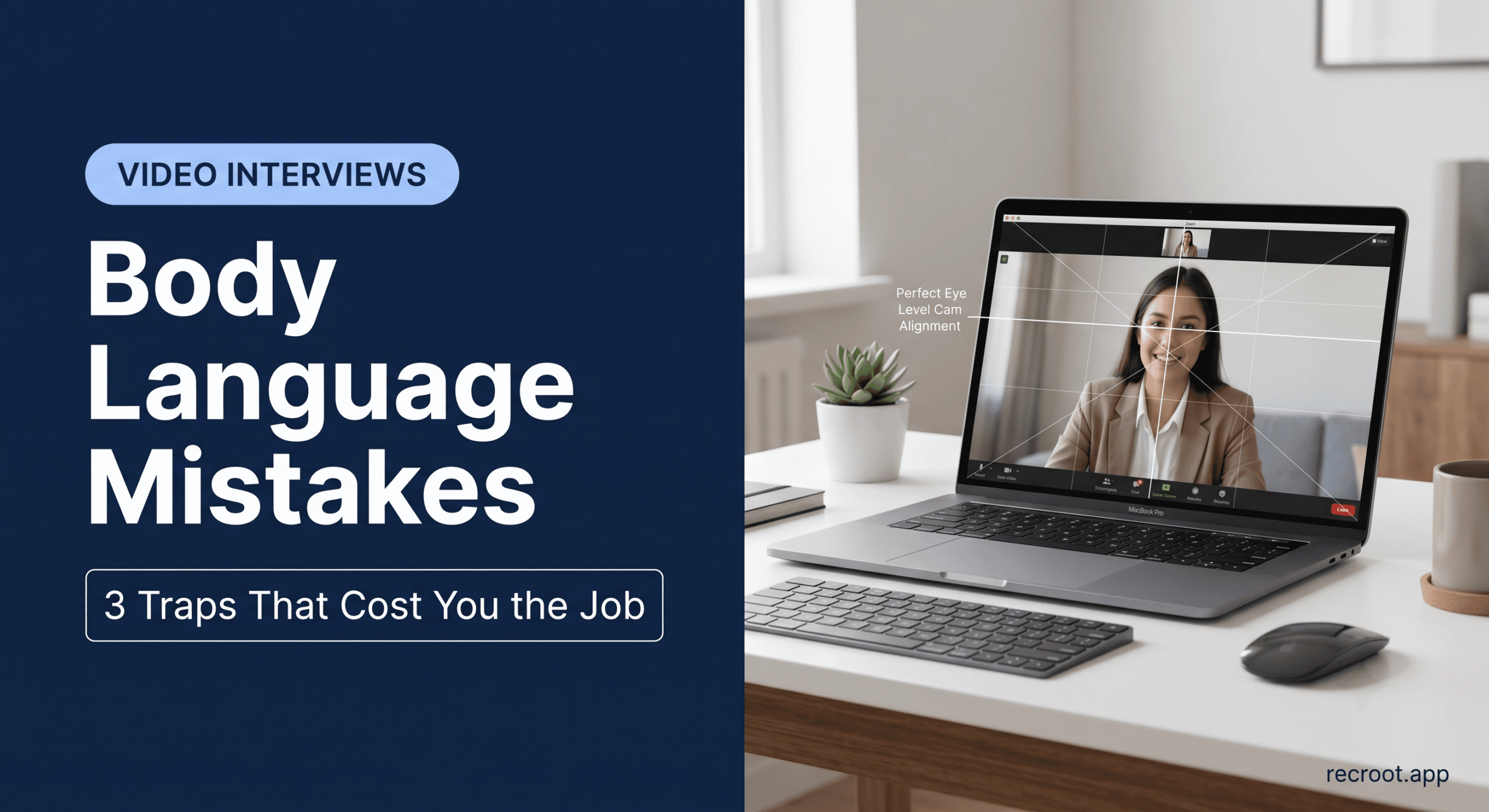
The most frequent visual mistake candidates commit is poor camera positioning, resulting in the “Horizon Drift.” This happens when your camera is angled upward from your desk, positioning your chin at the bottom of the frame and leaving a massive amount of empty space above your head.
Psychologically, this positioning forces the interviewer to literally look down at you throughout the interaction. It minimizes your visual presence, making you look small, detached, and lacking in authority. Conversely, leaning too close to the lens creates a distorted close-up that violates the interviewer’s digital personal space, triggering a subconscious defensive reaction.
The Adjustment: Situate your laptop or external webcam so the lens rests precisely at your eye level. If necessary, stack books beneath your machine. Frame yourself so that the bottom of the window cuts across the middle of your chest, leaving roughly two inches of negative space above your head. This projection creates an immediate impression of executive presence and balance.
2. The Multi-Monitor Stare (The Illusion of Disengagement)
With the rise of high-performance engineering configurations, many professionals utilize multi-monitor setups. During a video call, candidates frequently position the video application on their primary screen, but place their notes, documentation, or code environment on a secondary monitor to the side.
When you look at your notes on the side monitor while speaking, the interviewer does not see a prepared professional checking their documentation; they see a candidate looking completely away from them. This constant side-glance destroys conversational connection, making you appear distracted, checked out, or worse, as though you are reading from an unapproved script in real-time.
The Adjustment: Drag your video conferencing application, your notes, and your IDE window onto the exact same screen where your physical webcam is mounted. Position your notes directly below the camera lens line. When you speak, train your eyes to look directly into the camera lens, not at the person’s face on the screen. Looking into the lens is the digital equivalent of direct eye contact—it projects absolute confidence and honesty.
3. The Rigid Freeze (The Lack of Kinetic Feedback)
When a candidate experiences intense interview anxiety, their physical system often reacts by locking up. To prevent fidgeting or nervous touching, they sit perfectly still, pinning their arms to their sides and holding their shoulders completely rigid.
While this prevents outward fidgeting, it introduces a new problem: the “Rigid Freeze.” On a virtual screen, a candidate who displays zero head movement, facial shifts, or natural hand gestures looks cold, robotic, and unapproachable. It signals that you are operating under extreme stress, which recruiters interpret as an inability to handle the pressure of live workplace communication.
The Adjustment: Embrace natural kinetic feedback within the camera frame. Keep your hands resting comfortably at desk level so they can naturally lift to emphasize a point when you explain a complex project workflow. Use responsive head nods when the interviewer speaks to signal active listening.
Moving Past Visual Biases
Body language adjustments are necessary to survive human-led video rounds, but navigating the subtle biases of human interviewers remains an uphill battle. This hidden complexity is why the smartest professionals are changing their preparation frameworks.
Instead of guessing how they come across, they practice within the zero-judgment sandbox of the Recroot.app.
By running conversational simulations with LEA AI, you can systematically build comfort with the rhythm of voice delivery. LEA focuses exclusively on your natural language structure and delivery pacing. It doesn’t track your eyes or score your facial movements—removing the visual biases that humans struggle to ignore.
By practicing your structural delivery out loud with an AI coach, you eliminate the root cause of the Rigid Freeze: emotional panic. When your speech patterns become fluid and your interview anxiety clears, your body language naturally aligns into a relaxed stance of professional authority.
Executive Summary & Takeaways
- Over 50% of an interviewer’s initial evaluation is driven by visual, non-verbal communication within the first few minutes of a video interaction.
- Camera positioning errors, such as angling the lens upward, diminish your visual authority and project a lack of professional presence.
- Looking away at secondary monitors during explanations shatters digital eye contact, making candidates appear detached or distracted.
- Freezing your posture to hide nervous habits makes you seem robotic, signaling severe underlying tension to the evaluator.
- Using a mock interview app like Recroot allows you to safely practice speech structures with LEA AI, replacing emotional panic with calm, natural muscle memory.
Frequently Asked Questions (FAQ)
Does LEA AI evaluate my body language through my webcam?
No. LEA focuses entirely on conversational audio analysis using Natural Language Processing (NLP). It evaluates your structural logic, pacing, and vocabulary choices without visual tracking, ensuring an assessment completely free from visual or physical bias.
How often should I look into the camera lens versus looking at the screen?
A great guideline for video calls is the 70/30 rule. Aim to look directly into the camera lens 70% of the time while you are actively speaking to establish eye contact, and look down at the screen 30% of the time to read the interviewer’s real-time facial expressions.
What should I do with my hands during a virtual interview?
Keep your hands resting naturally on the surface of your desk or your lap when listening. When explaining a complex system design or project milestone, feel free to bring your hands up to naturally gesture within the bottom third of the camera frame.